 ultimate-guide
Printing Intricate Designs on Custom Apparel: A 2026 Guide
Table of Contents
- Overview of Printing Methods for Intricate Designs
- DTG vs DTF Printing for Fine Detail: Which Handles Complexity Better
- Screen Printing vs. Digital Methods: Trade-Offs for Complex Artwork
- How to Prepare Artwork for Screen Printing and Other Techniques
- Preventing Custom Shirt Prints from Cracking and Fading
- Fabric Selection and Design Durability
- Scaling from Small Batches to Bulk Production
- Conclusion
Last Updated: August 29, 2026
Overview of Printing Methods for Intricate Designs
Printing intricate designs on custom apparel requires understanding the fundamental differences between available techniques. Each method handles fine detail, color depth, and durability distinctly, making some better suited to complex artwork than others.
The primary methods fall into two categories: traditional screen printing and digital technologies. Screen printing excels at bold, solid colors and large production runs, while digital methods like DTG and DTF handle photorealistic detail and color gradients more effectively.
At Action Designs, we've learned that the most common mistake is selecting a printing method based on cost alone. A $2 per shirt method that ruins your design is far more expensive than a $5 method that preserves every detail. DTF (direct-to-film) printing has emerged as a game-changer for intricate designs, offering capabilities that were impossible just five years ago.
DTG vs DTF Printing for Fine Detail: Which Handles Complexity Better
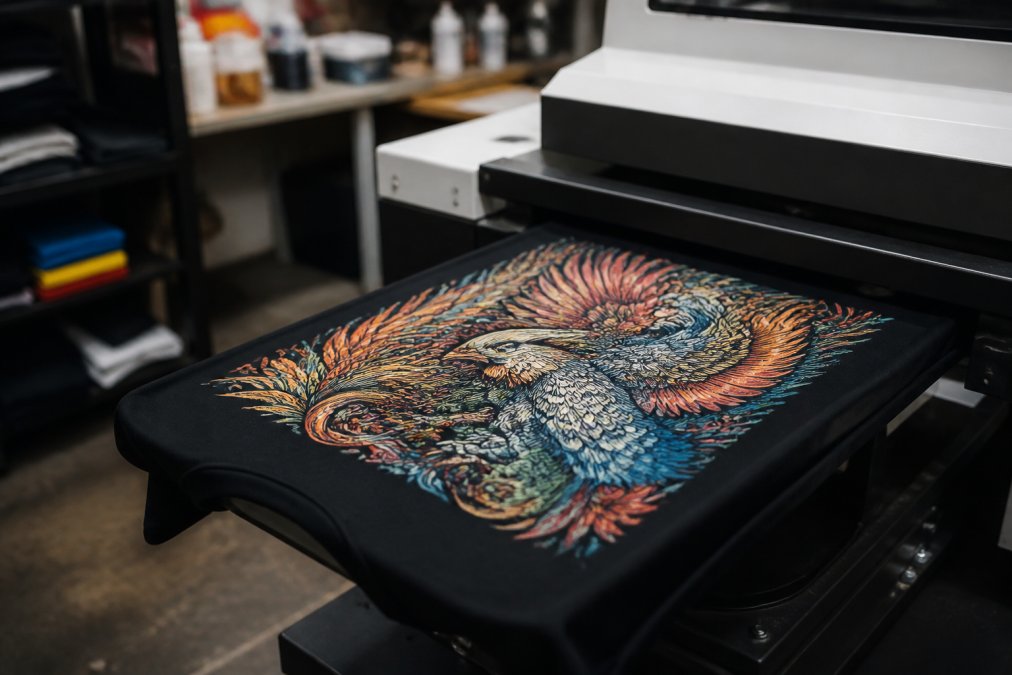
Direct-to-Garment (DTG) printing applies ink directly to fabric using inkjet technology, similar to a desktop printer scaled up. Direct-to-Film (DTF) printing transfers a design printed on special film onto the garment using a heat press. For intricate designs, DTF has become the preferred choice.
DTG works best for photographic-quality designs with fine gradients and unlimited colors. However, DTG struggles with dark fabrics and produces a heavier hand-feel (the thickness you feel when touching the print). The ink sits on top of the fabric rather than bonding deeply, affecting longevity over time.
DTF printing handles intricate patterns with exceptional precision. The process involves printing your design onto special PET film, curing it, then transferring it to the garment using heat and pressure. This creates a thinner, more flexible print that moves with the fabric. DTF works on virtually any fabric type, cotton, polyester, blends, even dark colors, without the color shifting that plagues DTG on darker materials.
An intricate logo with fine lines, small text, or detailed illustrations will render sharply with DTF. The same design on DTG may show slight bleeding at edges where colors meet, particularly on dark base colors. DTF's film-transfer process maintains crisp boundaries between color zones.
Durability also favors DTF for intricate work. Because the design bonds to the fabric surface rather than absorbing into fibers, it resists cracking from repeated washing and wear. DTG prints can last 50+ washes with proper care, but DTF routinely exceeds 100 washes without visible degradation. The trade-off: DTF requires a heat press, adding equipment cost. For small batches of intricate designs, DTF's superior output quality typically justifies the investment.
Screen Printing vs. Digital Methods: Trade-Offs for Complex Artwork
Screen printing remains the industry standard for bold, solid designs and high-volume production. The process involves creating a mesh screen with a stencil of your design, then forcing ink through the mesh onto fabric. It's durable, cost-effective at scale, and produces vibrant colors.
Screen printing has a fundamental limitation with intricate designs: color separation. Each color requires a separate screen. A design with seven colors requires seven screens, seven passes through the press, and significant setup time. Fine details, thin lines, small text, and complex gradients become problematic.
Digital methods (DTG and DTF) eliminate color separation entirely. You print full-color designs without additional setup, making them ideal for intricate, multi-color artwork. A photorealistic design with dozens of color transitions prints as easily as a solid color.
The economic trade-off appears at scale. Screen printing becomes cheaper per unit as quantity increases. A 500-shirt order might cost $3 per shirt with screen printing versus $5 with DTG. But for 50 shirts, screen printing's high setup cost makes DTG or DTF more economical.
For intricate designs, screen printing also introduces ink layering challenges. When colors overlap, the ink builds up, creating a stiff, plastic-like feel. Digital methods apply ink more uniformly, maintaining fabric softness even in areas with multiple color layers.
Screen printing does excel in special effects: puff ink (which expands when heated), metallic inks, and glow-in-the-dark formulations are screen-printing specialties. If your intricate design needs special effects, consider a hybrid approach: digital printing for the main design, screen printing for the effect layer.
How to Prepare Artwork for Screen Printing and Other Techniques
Preparing artwork correctly prevents countless problems downstream. Poor file preparation leads to blurry prints, color shifts, and designs that don't match your vision.
Vector Graphics vs. Raster Images
Vector graphics are created using mathematical formulas to define lines, curves, and shapes. Files like .AI (Adobe Illustrator) or .EPS contain scalable paths that remain sharp at any size. Vector files are ideal for logos, text, and designs with defined colors and clean edges.
Raster images are made of pixels, like photographs or images created in Photoshop (.PSD, .JPG, .PNG). Rasters contain fixed pixel information; enlarge them too much and they become blurry.
For intricate designs on custom apparel, vector files are nearly always superior. They scale without quality loss, print with crisp edges, and separate cleanly into color layers for screen printing. If you're starting with a raster image, you'll need to convert it to vector using software like Adobe Illustrator's Image Trace feature, or work with a designer who can redraw the design as a vector.
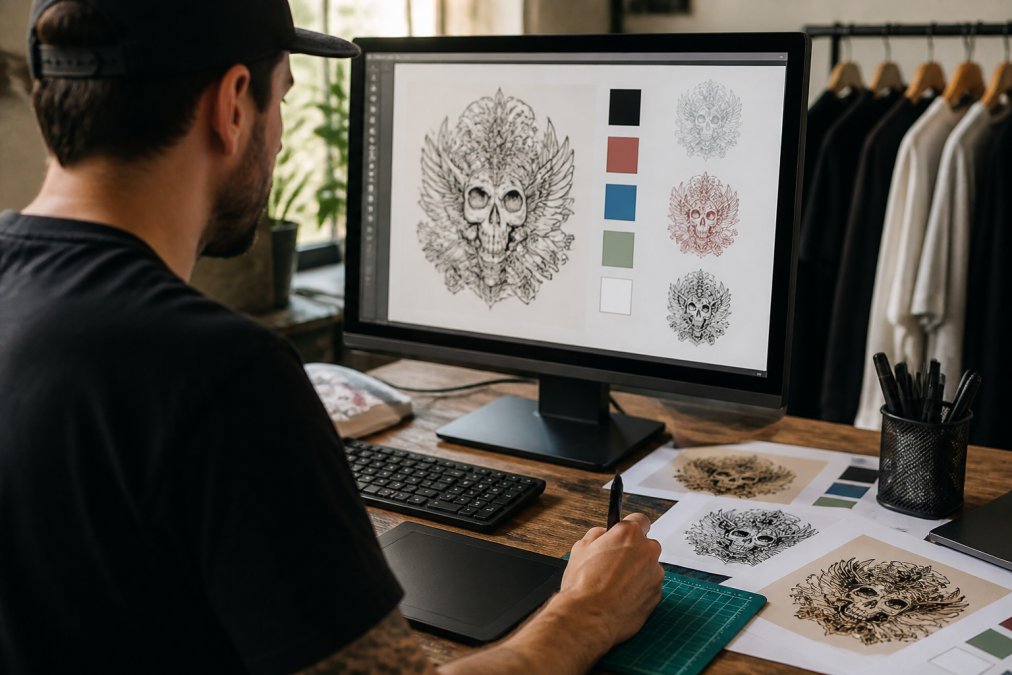
If your design exists only as a JPG or PNG with fine details, expect to pay a designer to vectorize it. This step is non-negotiable for quality results.
Resolution and DPI Requirements
DPI (dots per inch) measures print resolution. Higher DPI means finer detail and smoother color transitions. For screen printing, DTG, and DTF printing, 300 DPI is the industry standard. This resolution captures fine details without excessive file size.
For intricate designs specifically, don't drop below 300 DPI. Fine lines, small text, and detailed patterns all require this resolution to render sharply. Action Designs recommends asking your designer for the native file resolution and confirming it meets 300 DPI before production begins. This single check prevents reprints and wasted inventory.
Preventing Custom Shirt Prints from Cracking and Fading
Print durability depends on ink quality, fabric preparation, curing process, and post-production care. A design that looks perfect on day one but cracks after five washes indicates a failure in one of these areas.
Cracking occurs when the ink layer becomes brittle and breaks under fabric stress. This happens most often with screen printing when too much ink is applied or the ink isn't fully cured. DTF printing resists cracking because the transfer bonds more completely to the fabric surface.
Fading results from UV exposure, heat, and repeated washing. Poor-quality inks fade faster than premium formulations. Some colors, particularly light shades on dark fabrics, are inherently more prone to fading.
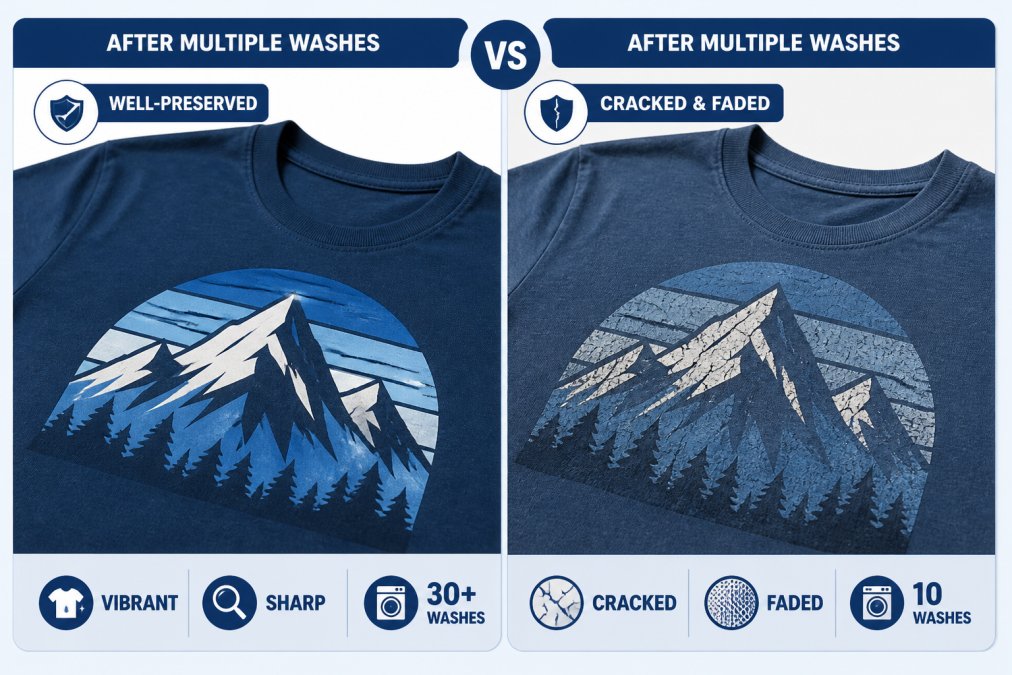
The most effective prevention involves three steps: proper curing, quality ink, and correct fabric preparation.
Proper curing means allowing ink to fully set before the garment is worn or washed. Screen-printed items need 24-48 hours of cure time. DTG prints cure faster, often 4-8 hours. DTF transfers need proper heat press settings to bond fully to the fabric.
Quality ink makes a measurable difference. Premium plastisol inks resist cracking better than budget alternatives. DTG inks from established manufacturers like Epson or Ricoh outperform generic substitutes.
Fabric preparation affects how ink bonds to the garment. Pre-washing removes finishes and sizing that can block ink absorption. For intricate designs where durability matters, pre-washing is worth the investment.
Most quality DTF and premium DTG prints meet the ASTM D3924 standard for 50+ washes of durability (astm.org).
Fabric Selection and Design Durability
Fabric composition directly affects how designs print and how long they last. Cotton, polyester, and blends each behave differently under printing processes.
Cotton absorbs ink readily, making it ideal for DTG and screen printing. Natural fibers bond well with water-based and plastisol inks. Cotton garments feel soft and breathable but shrink slightly when washed and can fade with direct sunlight exposure.
Polyester resists ink absorption, which is why DTG prints on polyester often show color shifting. However, polyester holds color better than cotton and resists UV fading. Polyester blends (50/50 cotton-poly) offer a compromise: better ink bonding than pure polyester, better fade resistance than pure cotton.
Blends are increasingly popular because they balance performance across multiple factors. A 65/35 cotton-polyester blend prints well with all methods and offers good durability. Higher polyester content improves fade resistance but slightly reduces ink vibrancy.
For intricate designs, fabric weight matters. Lighter fabrics (4-5 oz) show fine detail more clearly. Heavier fabrics (6+ oz) are more durable overall but can obscure fine lines if ink application isn't precise.
The durability equation: high-quality ink + appropriate fabric + proper curing = prints that last 75+ washes without noticeable degradation.
Scaling from Small Batches to Bulk Production
The economics of custom apparel printing change dramatically as quantity increases. A method that makes sense for 50 shirts becomes inefficient at 500 shirts.
For small batches (1-100 units), DTG and DTF printing are most cost-effective. Setup time is minimal, and per-unit costs remain reasonable even at low quantities.
As quantity increases to 200-500 units, the cost per shirt drops with digital methods, but screen printing begins to compete. The screen creation cost ($50-150 per color) amortizes across more units. At 500 units with a simple design (1-2 colors), screen printing may be cheaper.
Beyond 500 units, screen printing typically offers the lowest per-unit cost, sometimes reaching $1-2 per shirt for simple designs. Digital printing costs remain relatively flat.
The inflection point, where screen printing becomes cheaper than digital, depends on design complexity. A simple, solid-color design tips toward screen printing at lower quantities. An intricate, full-color design may never become cheaper via screen printing because color separation and setup costs are prohibitive.
For businesses scaling production, consider a hybrid approach: screen print your core logo in bulk, then use digital printing for specialty designs or seasonal variations. This strategy maintains cost efficiency while preserving design flexibility.
Conclusion
Printing intricate designs on custom apparel requires matching the right printing method to your design complexity, fabric choice, and production volume. DTF printing handles fine detail and durability better than alternatives, while screen printing excels at cost-per-unit for high volumes. Proper artwork preparation using vector files at 300 DPI prevents quality problems downstream. Preventing print degradation comes down to quality ink, proper curing, and fabric selection.
Action Designs specializes in all these printing techniques, with expertise in handling intricate designs across screen printing, DTG, DTF, and embroidery. Our team can advise on which method best serves your specific design and production needs, from single-unit custom pieces to full-scale branded merchandise runs. GET A QUOTE and let us help you bring your vision to life with precision and durability.
Frequently Asked Questions
Q: What's the best printing method for highly detailed artwork with fine lines and small text?
A: DTG (Direct-to-Garment) and DTF (Direct-to-Film) printing both excel at fine detail. DTG works best for cotton-heavy garments and can reproduce intricate patterns with excellent color vibrancy. DTF offers superior durability on polyester blends and synthetic fabrics, making it ideal for designs with small text or thin lines that need to withstand repeated washing. Screen printing, while traditional, requires design simplification and is better suited for bolder artwork with fewer color separations.
Q: How do I prepare artwork for screen printing to avoid quality loss?
A: Convert your design to vector graphics using software like Adobe Illustrator to ensure scalability without pixelation. Separate colors into individual layers, each representing one screen. Maintain a minimum resolution of 300 DPI if working with raster elements. Simplify fine details that may not transfer cleanly through the mesh, typically, lines should be at least 1-2 points thick. Provide your artwork in CMYK color mode and confirm Pantone color matching with your printer to ensure accurate color reproduction.
Q: Why do custom shirt prints crack after washing, and how can I prevent it?
A: Cracking occurs when ink fails to cure properly, the fabric composition doesn't match the printing method, or the garment undergoes excessive heat during washing. Prevent this by: using the correct printing method for your fabric (DTG for cotton, DTF for blends), ensuring proper heat-press temperature and duration, washing in cold water and turning garments inside-out, and air-drying rather than using high heat. High-quality inks with proper wash-fastness ratings also significantly extend garment longevity.
Q: Can you print intricate multi-color designs affordably on small quantities?
A: Yes, DTG and DTF printing are cost-effective for small batches because they don't require color separations or screen setup fees. Per-unit costs remain reasonable even for 50-200 garments. Screen printing becomes more economical at higher volumes (typically 500+ units) because setup costs are distributed across more items. For small runs with complex, multi-colored designs, DTG on cotton or DTF on polyester blends offer a good balance of quality and affordability.
This article was written using GrandRanker