 ultimate-guide
Custom Screen Printing Services for Businesses
Table of Contents
- What Custom Screen Printing Services Offer Businesses
- Screen Printing vs Embroidery for Corporate Uniforms
- Turnaround Time for Custom Screen Printing Orders
- How to Design Apparel for Screen Printing
- Printing Techniques Beyond Screen Printing
- Cost Considerations and Bulk Order Discounts
- Quality Standards and Print Durability
- Getting Started with Your Custom Screen Printing Project
- Frequently Asked Questions
Last Updated: September 1, 2026
What Custom Screen Printing Services Offer Businesses
Custom screen printing services help companies to create branded apparel that builds team identity and strengthens customer relationships. Whether you're outfitting staff uniforms, producing merchandise for a trade show, or launching a promotional campaign, screen printing delivers vibrant, durable results that last through countless washes.
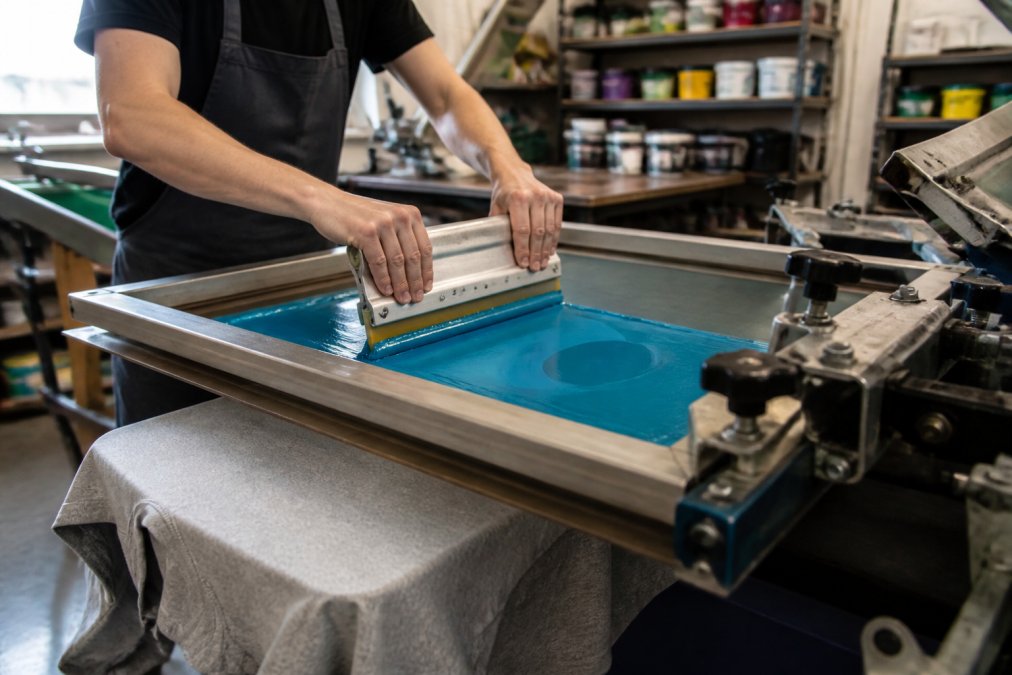
At Action Designs, we understand that custom screen printing services for businesses need to balance quality, cost, and turnaround speed. Screen printing stands apart because it applies ink directly to fabric through a mesh screen, creating bold colors and sharp detail that resist fading. This technique works exceptionally well for logos, text, and designs with solid color blocks, the backbone of most corporate apparel.
The real advantage of screen printing lies in its economics. For orders above 50 units, per-unit costs drop significantly compared to other printing methods. A single-color print on 100 shirts costs far less per piece than a 10-shirt run, making it the go-to choice for bulk orders. According to industry standards for apparel decoration, screen printing remains the most cost-effective method for volume production when color counts stay moderate.
Beyond cost, screen printing delivers durability that matters. The ink bonds with fabric fibers rather than sitting on top, which is why screen-printed garments can withstand industrial washing, chlorine exposure, and years of regular wear without cracking or peeling. This durability makes screen printing ideal for uniforms, workwear, and merchandise that needs to survive real-world conditions.
Screen Printing vs Embroidery for Corporate Uniforms
Screen printing and embroidery each solve different problems, and choosing between them depends on your design, budget, and durability needs.
Screen printing works best when you have solid color areas, photographic elements, or fine details that need clarity. A company logo with gradients, a detailed illustration, or a multi-color design prints crisply and uniformly across all garments. The cost per unit stays low even for complex designs, and setup fees are reasonable for orders of 50 or more. Screen printing also creates a flat finish that feels smooth to the touch.
Embroidery, by contrast, uses thread to stitch a design directly into fabric. It delivers a three-dimensional, premium appearance that many executives prefer for high-visibility uniforms or upscale corporate wear. Embroidered logos convey craftsmanship and durability, they literally won't wash out because they're sewn in. However, embroidery costs more per unit, especially for small quantities, and works better with simpler designs that don't require tiny details.
The practical choice comes down to three factors: design complexity, order size, and perceived value. A company with 200 employees needing matching polos with a two-color logo will save thousands by choosing screen printing. A law firm ordering 30 blazers with an embroidered firm name will get better results with embroidery despite the higher per-unit cost. If your design has fine lines, photographs, or more than four colors, screen printing is your only realistic option, embroidery can't reproduce that level of detail without looking muddy.
For most businesses, a hybrid approach works well: screen print t-shirts and casual wear, embroider dress shirts and jackets. This strategy maximizes durability where it matters most while keeping costs reasonable across your apparel program.
Turnaround Time for Custom Screen Printing Orders
Turnaround time for custom screen printing orders typically ranges from 5 to 14 business days, depending on order complexity and production volume. This timeline includes design approval, screen creation, ink mixing, and final quality checks, each step takes time, but none should be rushed.
The first variable is design approval. If you submit final artwork ready to print, production begins immediately. If your design needs revision, color matching, or file preparation, add 2-3 days. This is where many projects stall. Working with a partner who communicates clearly and shows you proofs before committing to screens saves time later.
Screen creation takes 1-2 days. For each color in your design, a separate screen must be burned, this is the technical process that transfers your artwork onto mesh. A two-color design requires two screens; a four-color design requires four. This is non-negotiable and can't be rushed without sacrificing print quality.
Production speed depends on order volume. A 50-shirt run prints faster than a 500-shirt run simply because of drying time between colors and the physical mechanics of moving garments through the press. Most facilities can print 100-200 pieces per hour per color, but they'll batch similar orders together to maximize efficiency.
Rush orders are possible but cost extra. However, rushing increases the risk of errors. A common mistake is pushing for speed without allowing time for proper quality checks, which leads to reprints and actually delays your project.
The lesson: plan for 10 business days as your baseline. Anything faster is a bonus. Anything slower usually signals a partner with capacity issues or poor communication.
How to Design Apparel for Screen Printing
Designing for screen printing requires understanding how the medium works, what looks good on screen doesn't always print well on fabric.
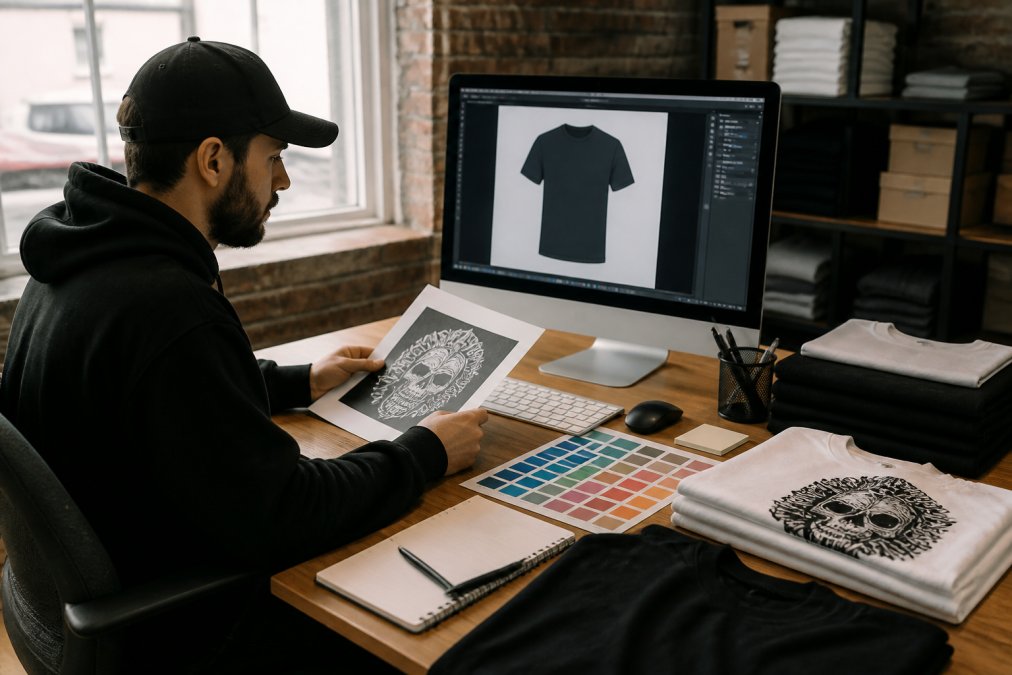
Start by thinking in colors, not gradients. Screen printing works by layering solid color areas. If your design relies on shading, blending, or photorealistic effects, screen printing will struggle. A logo with five colors and clean edges prints beautifully. A photograph with subtle color transitions does not. This is the fundamental constraint of the medium.
Vector Artwork and File Preparation
Your artwork must be in vector format, Adobe Illustrator, Corel Draw, or equivalent. Raster images (JPG, PNG, photos) don't work because screen printing needs clean, scalable outlines that can be separated into individual color layers.
When preparing your file, use these standards: convert all text to outlines so it doesn't shift during production, ensure minimum line weight of 0.5 points (anything thinner disappears), and check that all colors are solid fills with no gradients or transparency. Leave at least 0.25 inches of space between design elements and garment edges, printers need room to work.
File size matters less than file structure. A 50MB file with poor layer organization is harder to work with than a clean 2MB file. Label your layers clearly: "Logo Color 1," "Logo Color 2," "Text," etc. This simple step saves your printer hours of cleanup work and reduces the chance of errors.
Color Separation and Pantone Matching
Color separation is the process of breaking your multi-color design into individual layers, one per screen. This is where most design-to-print problems emerge. If you submit a design with seven colors, your printer will create seven screens. Each screen prints one color. The final result depends on perfect registration, each color printing in exactly the right spot.
Pantone color matching ensures your design colors match your physical samples. Pantone is the universal color standard in apparel printing. When you specify a color, use the Pantone number, not RGB or CMYK values. Your printer will mix ink to match that Pantone chip. However, fabric color affects final results. A dark navy shirt will make a printed color look different than a white shirt, even if the ink is identical. Always request a sample on your actual garment color before committing to a full run.
A common mistake is assuming screen colors will match your digital design. They won't. Screens are transparent; they layer ink on fabric. What you see on your monitor is backlit. What you see on a shirt is reflected light. Request a physical proof on a sample garment. This costs extra but prevents expensive reprints.
Printing Techniques Beyond Screen Printing
While screen printing dominates for bulk orders, other techniques solve specific problems.
Direct-to-garment printing (DTG) works like an inkjet printer for fabric. It applies color directly to the garment without screens, which means no setup fees and no color limits. DTG excels at photographic designs, complex artwork, and small orders, even one-off custom shirts. The tradeoff: DTG costs more per unit than screen printing, and the prints aren't as durable for heavy-use garments. DTG is ideal for limited editions, personalized gifts, or designs with unlimited colors.
Heat transfer printing uses a design printed on special transfer paper, then pressed onto the garment with heat. This method works well for detailed designs and photographs. It's faster than screen printing for small runs but less durable long-term. Heat transfer is common in event merchandise and personalized apparel.
Embroidery, as discussed earlier, stitches designs directly into fabric. It's premium, durable, and perfect for corporate wear. Cost per unit is higher, and design complexity is limited, but the finished product conveys quality.
DTF (direct-to-film) printing is the newest technique, applying pre-printed designs from film directly to garments. It bridges DTG and screen printing, offering more color flexibility than screen printing with better durability than DTG. DTF is gaining traction for mid-volume orders where quality matters.
For most businesses, screen printing handles 80% of needs. The other techniques fill specific gaps: DTG for one-offs and photo designs, embroidery for premium uniforms, heat transfer for quick events.
Cost Considerations and Bulk Order Discounts
Screen printing economics hinge on volume. A 10-shirt order costs significantly more per unit than a 500-shirt order because setup fees are spread across fewer pieces.
Setup fees cover design approval, screen creation, and ink mixing. These costs are fixed regardless of quantity. This is why a 10-unit order feels expensive, you're paying full setup for a tiny run.
Bulk order discounts kick in around 50 units and increase at 100, 250, and 500 units. The per-unit cost drops each time because fixed setup costs divide across more pieces. A company ordering 300 shirts will pay less per shirt than one ordering 100, even if the design is identical.
Here's the practical math: if your setup costs are moderate and you're printing a two-color design, the per-unit cost at 50 pieces might be reasonable. At 100 pieces, it's better. At 500 pieces, it's very competitive. But if you only need 20 pieces, you're paying a premium that no discount tier can offset.
This is why many businesses batch their orders. Instead of ordering 50 shirts in January and 50 in March, they order 100 in February and store the extras. The per-unit savings often justify the storage.
For exact pricing on your specific project, you'll need to contact a printer directly. Variables like fabric type, ink colors, garment brand, and rush fees all affect the final cost. Action Designs provides custom quotes based on your exact specifications, reach out to discuss your project and get accurate pricing for your order size.
Quality Standards and Print Durability
High-quality screen printing should pass real-world durability tests: 25-50 industrial washes, chlorine exposure, and years of regular wear without cracking, fading, or peeling (astm.org).
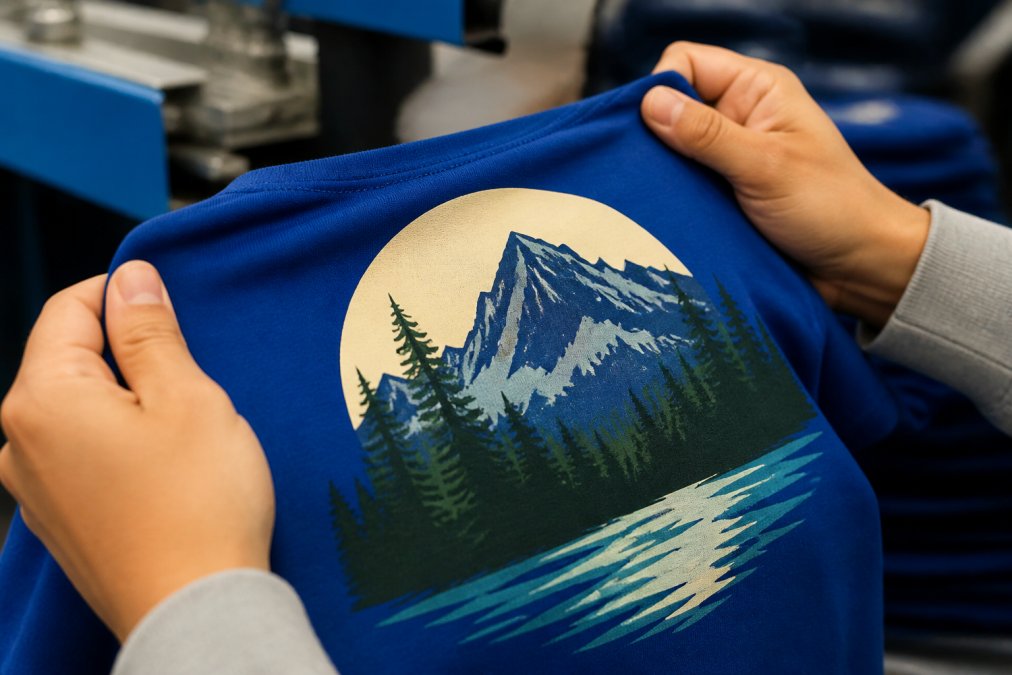
The difference between durable and cheap printing comes down to three factors: ink quality, fabric preparation, and curing temperature.
Plastisol ink is the industry standard for screen printing because it bonds with fabric and resists fading. Water-based ink is more eco-friendly but requires careful handling and doesn't perform as well on darker fabrics. The ink supplier matters, premium inks cost more but last longer.
Fabric preparation means washing and drying the garment before printing. This removes sizing and oils that prevent ink adhesion. Skipping this step saves time but leads to prints that peel within weeks. Quality printers always prepare fabric properly.
Curing temperature is the final critical step. Ink must be heat-cured to fully bond with fabric. If the temperature is too low, the ink remains soft and washes out. If it's too high, the fabric burns. Proper curing requires specialized equipment and monitoring. This is where many low-cost printers cut corners, they undercure to speed production, which results in poor durability.
The question prospects ask most: "How do I know your quality actually holds up?" The answer is testing. Request samples, wash them 20 times, and inspect them. Look for cracking, fading, or peeling. If the print survives aggressive washing, it'll survive normal wear. Many businesses have had bad experiences with cheap vendors where prints cracked after a few washes. Proper screen printing doesn't do this.
Quality control matters throughout production. A reputable printer inspects every batch for color consistency, registration accuracy, and ink coverage. They catch problems before shipping, not after customers receive damaged goods.
Getting Started with Your Custom Screen Printing Project
The path from concept to finished apparel is straightforward if you follow a logical sequence.
Start by defining your needs: how many pieces, what garment type, what's your timeline, and what's your budget. These four variables determine everything else. A company needing 200 branded polos in two weeks has different options than one ordering 50 shirts with a month's lead time.
Next, prepare your artwork. Use vector format, keep colors simple, and follow file preparation standards. If you're unsure about design specs, ask your printer for guidelines before you start, this saves revision cycles.
Submit your design and get a proof. A good printer will show you exactly what the finished product looks like before committing to screens. This is your chance to request changes. Once screens are created, changes become expensive.
Approve the proof and production begins. Your printer creates screens, prepares garments, mixes inks, and runs your order. Quality checks happen throughout. Final garments are inspected, packaged, and shipped.
Throughout this process, communication is everything. A printer who responds quickly to questions, shows proofs without being asked, and catches problems before they become expensive is worth the relationship. Action Designs specializes in this kind of partnership, we work with businesses of all sizes, from 50-person teams to large organizations, and we understand that clear communication prevents headaches.
When you're ready to explore custom screen printing services for your business, reach out with your specifications. We'll discuss your design, timeline, and budget, then provide a quote tailored to your exact needs. Whether you need to supply your own garments or you want us to source them, we handle both approaches. Our goal is high-quality, durable apparel that represents your brand professionally.
Frequently Asked Questions
Q: How do I choose the right custom screen printing service for my business needs?
A: Evaluate services based on printing techniques available (screen printing, embroidery, DTG, DTF), their ability to handle your order size, turnaround time options, and whether they can supply garments or customize items you provide. Ask about their experience with similar projects, request samples of previous work, and confirm they understand your design requirements and file specifications. Get quotes from multiple providers and compare their approach to design proofing and and quality control.
Q: What file formats are required for high-quality screen printing?
A: Vector artwork files in formats like EPS, AI, or PDF are ideal for screen printing because they maintain sharp edges at any size. Avoid raster formats like JPG or PNG unless they're high-resolution (at least 300 DPI). Your design should use spot colors or be prepared for color separation if using multiple colors. Provide artwork with proper margins and confirm the final size before printing to ensure quality output without distortion.
Q: Can businesses provide their own garments for screen printing?
A: Yes, many custom screen printing services, including Action Designs, accept client-provided garments for customization. This approach gives you control over the apparel brand and quality. Simply provide clean, pre-washed items and confirm with your printer that they can accommodate your specifications. This option is particularly useful if you already have preferred suppliers or specific garment requirements for your uniforms or promotional items.
Q: How long does the custom screen printing process take for large business orders?
A: Turnaround time for custom screen printing orders typically ranges from 5-10 business days for standard orders, though this varies based on order size, design complexity, and current workload. Rush options are often available for an additional fee. Factors affecting timeline include design approval, color separation, screen preparation, and production volume. Discuss your deadline when requesting a quote to ensure the printer can meet your schedule.
Custom screen printing services deliver professional results when you understand the process, choose a reliable partner, and plan for realistic timelines. The durability and cost-effectiveness of screen printing make it the smart choice for most businesses. Get a quote from Action Designs today and see how custom apparel can strengthen your brand visibility and team identity.
This article was written using GrandRanker